
Join Digital Marketing Foundation MasterClass worth Rs 1999 FREE

How to Do Keyword Research for SEO in 2026: The Ultimate Step-by-Step Guide

How to do keyword research

Key Takeaways

Intent First: Aligning your content with the “Why” behind the search is the #1 ranking factor.

Entity Focus: Use tools to find “Related Entities,” not just exact match phrases.

AI Shift: Optimize for AI Overviews by answering queries directly.

Prioritize Value: Don’t chase high volume; chase high-intent long-tail keywords.

Keyword research is no longer just about finding words with high search volume; it’s about understanding the Search Intent and mapping it to a comprehensive Topic Cluster.

Whether you are a beginner or a pro, this guide provides the 2026 workflow to help you dominate the SERPs. By the end of this post, you will know how to discover “seed keywords,” analyze competition, and use AI to uncover hidden opportunities.

What is Keyword Research and Why is it Still Critical in 2026?

Keyword research is the process of identifying the specific phrases and questions your target audience uses in search engines to find solutions.

In the era of AI Overviews (SGE), it serves as the blueprint for your Semantic SEO strategy, ensuring Google’s algorithms recognize you as a topical authority.

Read More: What is SEO and how it works

How to Categorize Keyword Intent: Informational vs. Transactional

Before you pick a keyword, you must understand the user’s goal. Google penalizes pages that mismatch intent.

  • Informational: “How to do keyword research” (Needs a guide).
  • Commercial: “Best keyword research tools” (Needs a list/comparison).
  • Transactional: “Buy SEMrush subscription” (Needs a product page).
  • Navigational: “Digital Vidya login” (User wants a specific site).

The 5-Step Workflow for Modern Keyword Research

  1. Brainstorm Seed Keywords: Start with broad topics relevant to your niche.
  2. Use Keyword Research Tools: Leverage Top SEO Tools like SEMrush, Ahrefs, or Google Keyword Planner.
  3. Analyze Keyword Metrics: Look for a balance between Search Volume and Keyword Difficulty (KD).
  4. Conduct a Content Gap Analysis: See what keywords your competitors rank for that you don’t.
  5. Identify Long-Tail Keywords: These have lower competition and higher conversion rates.

How to Optimize for AI Overviews and Featured Snippets?

To rank in the “zero-position,” you must provide direct answers.

  • Direct Logic: Start the first sentence under an H2 with a clear definition.
  • Formatting: Use bullet points and tables for data-heavy sections.
  • Question-Based Headers: Use “What is…” or “How to…” to mirror user queries.

Today, true keyword strategy is about understanding the human behind the search. It’s about answering complex questions:

  • What is their real intent? Are they looking to learn, compare, or buy?
  • Does Google answer their question directly on the results page (via SERP features)?
  • How does this one search fit into a larger journey (a topic cluster) that serves your actual business goals?

Simply finding a keyword is easy. Finding one that drives the right traffic and grows your business is an art.

This guide gives you the modern, practical workflow for 2026. We’ll move step-by-step through the entire process: how to discover keywords, how to prioritize them with modern metrics, how to map them to your content, and how to choose the right tools for the job.

The Strategic Foundations of Modern Keyword Research

Before you open a single tool or type a word into a spreadsheet, you need a mental shift.

The old way of “keyword research” was a simple search-and-find mission: find a term with high search volume, low competition, and stuff it into a 500-word article.

That game is over. Google’s algorithms are now sophisticated engines of intent matching and authority ranking.

In 2026, modern keyword research is built on four strategic pillars.

1. The Primacy of Search Intent

Search Intent is the why behind a user’s query. It’s the single most important factor in determining whether your page deserves to rank. If you misunderstand the intent, you will fail, even if your content is brilliant.

When you target a keyword, you are making a promise to Google and the user that you can provide the answer they are actually looking for.

We can group most intents into four main categories:

  • Informational (“I need to know”): The user is looking for an answer, a definition, or a guide.
    • Example: “how to brew cold brew coffee”
  • Navigational (“I need to go”): The user is trying to find a specific website or brand.
    • Example: “Digital Vidya login”
  • Commercial (“I need to compare”): The user is in the research phase, comparing options before a potential purchase.
    • Example: “best email marketing software”
  • Transactional (“I need to buy”): The user is ready to make a purchase or take a specific action.
    • Example: “buy Keurig coffee machine”

Why this matters: Creating a detailed “how-to” guide (Informational) for a user who is clearly trying to buy (Transactional) will lead to an immediate bounce. Google sees this, understands your page is a poor match for the query, and will rank your competitor (who does match the intent) above you.

2. The Topic Authority Model (From Keywords to Clusters)

Google no longer ranks just pages; it ranks expertise. It wants to see that you are a comprehensive authority on a subject, not just a one-hit-wonder.

This is where the Topic Cluster model comes in.

  • Pillar Page: This is your “definitive guide.” A long-form, comprehensive piece of content that covers a broad topic (e.g., “The Ultimate Guide to Digital Marketing”). It targets a high-volume, “head” term.
  • Cluster Content (or Spokes): These are shorter, more specific articles that address one sub-topic from your pillar in detail (e.g., “how to do keyword research,” “email marketing basics,” “what is SEO“). These articles link back to your pillar page.

Why this matters: This strategy organizes your site architecture, passes link authority effectively, and proves your topical depth to Google. You stop chasing individual, disconnected keywords and start owning an entire conversation.

3. The Business-First Filter (Revenue vs. Vanity)

Not all traffic is created equal.

A common mistake is chasing “vanity keywords”—terms with massive search volume that make your traffic graphs look good but never convert. A blog post on “what is marketing” might get 50,000 visitors a month, but how many of them are ready to buy your advanced marketing course?

Your business goals must be the primary filter for every keyword you target.

  • Vanity Keyword: High volume, low commercial intent. (e.g., “marketing memes”)
  • Revenue Keyword: Lower volume, high commercial or transactional intent. (e.g., “best digital marketing certification for managers”)

Why this matters: The goal of SEO is not just traffic; it’s profitable traffic. A keyword with 100 searches a month that leads to five new customers is infinitely more valuable than a keyword with 10,000 searches that leads to zero.

4. The “Can We Win?” Gut Check (SERP Analysis)

Finally, before you commit, you must look at the competition. The “difficulty score” in your SEO tool is just a number. You need to manually analyze the SERP (Search Engine Results Page).

Ask these questions:

  • Who is on Page 1? Are they massive, global brands (like Forbes, HubSpot, or Wikipedia)? Or are they smaller blogs and businesses like yours?
  • What type of content is ranking? Are they blog posts? Product pages? Videos? Tools? This tells you the format Google prefers.
  • What SERP Features are present? Is the page dominated by a “Featured Snippet,” a “People Also Ask” box, or a video carousel? This can “steal” clicks, even from the #1 spot.

Why this matters: SERP analysis tells you the true difficulty and the type of content you need to create. If the entire first page is 10-minute videos, your 2,000-word blog post will likely fail. It’s your ultimate reality check.

What is Keyword Research (And Why It’s Evolved)

At its core, keyword research is the process of understanding the language your target audience uses when they search for your products, services, and solutions.

It’s the foundational act of finding the specific phrases, questions, and problems people type into a search bar. This process gives you a raw, unfiltered look into your customers’ minds, allowing you to align your content with their precise needs.

But let’s be clear: the practice of keyword research has changed more in the last decade than in the previous two combined.

The “Old Way”: A Game of Repetition

In the early days of SEO, keyword research was a simple game of “match and repeat.” You would:

  1. Find a high-volume keyword (e.g., “best running shoes”).
  2. Repeat that exact phrase as many times as possible in your article.

This practice, known as “keyword stuffing,” treated search engines like simple-minded robots. It was a race to see who could use a term with the highest density without sounding completely incoherent. The content was often unreadable, but for a while, it worked.

The Evolution: From Keywords to Intent

That game is long over. The critical evolution away from keyword stuffing was driven by major Google algorithm updates that forced the entire industry to get smarter.

Two updates, in particular, changed everything:

  1. Google Hummingbird (2013): This update was a complete rewrite of Google’s core algorithm. Its main purpose was to understand the meaning and context behind a user’s entire search query (their “conversational search”), rather than just matching individual words. Instead of seeing “best place to eat cheeseburger near me,” it understood you were looking for a local restaurant.
  2. Google RankBrain (2015): This is a machine-learning component of the algorithm. Its job is to interpret the intent behind ambiguous or brand-new queries it has never seen before. RankBrain learns from user behavior—if a user clicks a result and stays on the page, it signals that the page was a good answer for that query’s intent, even if the exact keyword wasn’t all over the page.

These updates shifted the entire focus of SEO. The new goal wasn’t to “match the keyword” but to “satisfy the intent.”

Today, modern keyword research is no longer about finding a single term. It’s about building topical relevance and proving to Google that you are a comprehensive authority on a subject. It’s less about what people search for and more about why they are searching for it.

The Cornerstone of Success: Mastering Search Intent

If you take only one thing away from this guide, let it be this: If you misunderstand search intent, nothing else you do matters.

You can have the most beautifully written article, the fastest website, and the most powerful backlinks, but if your content doesn’t match the why behind a user’s search, it will fail to rank.

This is the number one reason why over 90% of pages get no traffic. They are “answers” to questions no one is asking, or the wrong type of answer to the right question.

In this chapter, we’re moving beyond the theory. You will learn how to stop guessing and start using a clear, analytical process to decode what a searcher really wants.

What Exactly is Search Intent?

Search intent (or user intent) is simply the primary goal a user has when they type a query into a search engine.

Are they trying to learn something? Are they trying to buy something? Are they just looking for a specific website?

Google’s multi-billion dollar business is built on its ability to satisfy this intent with superhuman speed and accuracy. Your job as a content creator is to align with that mission by creating the single best page on the internet that satisfies the user’s goal.

The Four Primary Types of Search Intent

To start, we must be able to categorize the why. While some queries are complex, almost all searches can be grouped into one of four primary types.

1. Informational (“I want to know”)

This is the most common type of search. The user is looking for information, an answer to a question, or a guide on how to do something. They are not in “buy” mode; they are in “learn” mode.

  • Common Modifiers: “how to,” “what is,” “why,” “guide,” “tutorial,” “example,” “tips.”
  • Example Queries: “how to do keyword research,” “what is SEO,” “best time to post on Instagram.”
  • Your Content’s Job: To provide the most comprehensive, accurate, and helpful answer. This is the classic domain of blog posts, in-depth guides, infographics, and how-to videos.

2. Navigational (“I want to go”)

The user already knows where they want to go and is using the search engine as a quick way to get there.

  • Common Modifiers: Brand names.
  • Example Queries: “Digital Vidya login,” “Facebook,” “Twitter trends.”
  • Your Content’s Job: To be the brand they are looking for. You generally do not target navigational keywords unless they are for your own brand. Trying to rank for “Facebook login” is impossible and pointless.

3. Commercial (“I want to compare”)

This is a critical, high-value category. The user is in the research phase before making a purchase. They are comparing options, looking for reviews, and trying to find the best product or service for their specific needs.

  • Common Modifiers: “best,” “top,” “vs” (versus), “review,” “comparison,” “alternatives.”
  • Example Queries: “best seo tools,” “Ahrefs vs Semrush,” “Digital Vidya review.”
  • Your Content’s Job: To help the user make an informed decision. This is where “best of” listicles, in-depth comparison articles, and detailed product reviews shine.

4. Transactional (“I want to buy”)

The user is at the bottom of the funnel. They have their wallet out (digitally speaking) and are ready to make a purchase or take a specific action now.

  • Common Modifiers: “buy,” “purchase,” “price,” “cost,” “discount,” “coupon,” “near me.”
  • Example Queries: “buy Ahrefs subscription,” “digital marketing course price,” “restaurant near me.”
  • Your Content’s Job: To provide a clear, frictionless path to the transaction. This is the home of product pages, e-commerce category pages, service/pricing pages, and local business homepages.

How to Decode Search Intent: Your 3-Step Action Plan

So, how do you figure out the intent for a new keyword?

You stop guessing. You let Google tell you the answer.

The Search Engine Results Page (SERP) is your ultimate cheat sheet. Google has already spent billions of dollars testing and determining what users want to see for that query. The pages ranking in the top 5 are there for a reason. Your job is to reverse-engineer why.

Here is the exact, actionable process.

Step 1: Analyze the “Three Cs” of the Top 5 Results

For your target keyword, open an incognito window and analyze the top 5 organic (non-ad) results. Look for these three things:

  1. Content Type
    • What is the page? Is it a blog post/article? A product page? An e-commerce category page (showing multiple products)? A service page? A video? A free tool?
    • This is a hard rule. If the top 5 results for “buy running shoes” are all e-commerce category pages, your 3,000-word blog post on “The History of Running Shoes” will never rank. You must match the dominant content type.
  2. Content Format
    • How is the content structured?
    • Is it a “how-to” guide with numbered steps?
    • Is it a “best of” listicle (e.g., “The 10 Best…”)?
    • Is it a comparison post with a feature table (e.g., “X vs. Y”)?
    • Is it a simple definition at the top of the page?
    • This tells you the structure users prefer. For “how to tie a tie,” they want numbered steps, not an essay.
  3. Content Angle
    • What is the dominant hook or theme of the titles? This reveals the specific sub-segment of the audience.
    • Is it “for beginners”? (e.g., “SEO for Beginners”)
    • Is it “cheap” or “free”? (e.g., “Free Email Marketing Tools”)
    • Is it “in 2026”? (Signaling freshness is most important)
    • Is it “comprehensive”? (e.g., “The Ultimate Guide…”)
    • This tells you the specific pain point. They don’t just want “email tools”; they want “email tools for small businesses.”

Step 2: Look for SERP Features

Google’s own result-page features are giant, flashing signs that tell you the kind of information people want.

  • Featured Snippet: A box with a direct answer at the top. This signals strong informational intent. The user wants a quick, concise answer.
  • “People Also Ask” (PAA) Box: A list of related questions. This is an informational goldmine. It tells you the exact follow-up questions you must answer in your content.
  • Video Carousel: Users want to see this in action. This is common for “how-to” (informational) or review (commercial) queries.
  • Shopping Ads / Product Carousel: High transactional or commercial intent. People are in “buy” or “shop” mode.
  • Local Pack (Map Pack): The query has local transactional intent (e.g., “pizza near me”).

Step 3: Form Your “Intent Hypothesis”

Now, combine your findings into a single, actionable directive for your content.

Example: Let’s analyze the keyword “best laptop for students”

  1. Content Type: The top 5 results are all blog posts/articles. (Not product pages).
  2. Content Format: They are all “best of” listicles (e.g., “The 8 Best Laptops…”).
  3. Content Angle: The titles all emphasize “budget,” “affordable,” and “2026.”
  4. SERP Features: We see Shopping Ads (commercial) and a “People Also Ask” box with questions like “What is a good amount of RAM for a student laptop?” (informational).

Your Intent Hypothesis: “The user has commercial intent. They want to read a listicle-style blog post that reviews the top 8-10 laptops for 2026, with a strong focus on budget-friendly and affordable options. The article must also answer common informational questions about specs (like RAM) to be truly comprehensive.”

By following this process, you have removed all guesswork. You now have a precise blueprint for a piece of content that perfectly matches search intent.

From Keywords to Authority: The Topic Cluster Model

For years, most business blogs have been a chaotic mess.

They operate like a “digital garage sale” of ideas: an article about “Industry Trend X” one week, a “Company Update” the next, and a “Top 5 Tips” post the week after. Each article is an island, published and then forgotten, competing for its own small slice of Google’s attention.

This model is broken.

Google’s algorithms have fundamentally shifted. They no longer just ask, “Is this page a good answer for this one query?” They now ask, “Is this website a credible expert on this entire topic?”

To win in 2026, you must prove your expertise. The most effective way to do this is by abandoning the random, one-off blog post and adopting the Topic Cluster (or “Hub-and-Spoke”) Model.

What is the Topic Cluster Model?

It’s a strategic way to organize your site’s content architecture. Instead of a “messy garage,” you are building a “clean, organized library” where all the books on a single subject are grouped together.

It’s how you go from being a source to being the authority.

This model consists of two core components and one critical action.

1. The “Hub” (or Pillar Page)

This is the central pillar of your library. It’s a long-form, comprehensive “Definitive Guide” that covers a broad, high-volume topic from end to end.

  • Its Job: To be the single best, most comprehensive resource on a broad subject.
  • Target Keyword: A broad, high-competition “head term.”
  • Example: If your business is email marketing, your Hub page might be “The Ultimate Guide to Email Marketing.”

2. The “Spokes” (or Cluster Content)

These are the individual, specialized books in your library. They are a series of shorter, highly-detailed articles that each cover one specific sub-topic from your Hub in great detail.

  • Their Job: To comprehensively answer a specific, long-tail query related to the main topic.
  • Target Keywords: Specific, lower-competition, long-tail keywords (often question-based).
  • Examples:
    • “how to build an email list from scratch”
    • “best email subject line examples”
    • “what is a good email open rate”
    • “Klaviyo vs. Mailchimp comparison”

3. The “Glue”: A Purposeful Internal Linking Strategy

This is the magic that holds the model together and signals your authority to Google.

  1. Every Spoke links up to the Hub: Each specific article (e.g., “best email subject lines”) must contain a contextual link pointing back to the main “Ultimate Guide to Email Marketing” Hub page. This tells Google, “This detailed article is part of that larger, authoritative guide.”
  2. The Hub links down to every Spoke: Your main Hub page should link out to each of the individual Spoke articles as it introduces that sub-topic. This provides a great user experience and funnels authority.

Why This Model Is a Game-Changer for SEO

Adopting this strategy fundamentally changes your relationship with Google and your audience.

  • It Builds Unbeatable Topical Authority: You are no longer just one page trying to rank for one keyword. You are a “mini-Wikipedia” on your niche. When Google’s crawlers see this clean, interconnected network of expert content, it signals that your entire domain is a highly relevant and trustworthy authority on the subject.
  • It Supercharges Your Internal Linking: Instead of guessing where to link, you have a clear, logical architecture. This strategy funnels authority (or “link juice”) intelligently across your site. When one of your “Spoke” articles gets a powerful backlink, it passes some of that authority up to your Hub. When your Hub ranks well, it passes authority down to all of its Spokes. It creates a “rising tide lifts all boats” effect.
  • You Dominate an Entire Niche (Not Just a Keyword): Your goal is no longer to just rank for “email marketing.” With a successful cluster, you will also rank for “best subject lines,” “how to build a list,” “email automation tips,” and dozens of other related terms. You carpet-bomb the search results, capturing users at every stage of their journey.

How to Build Your First Topic Cluster: A 4-Step Plan

Step 1: Choose Your “Hub” Topic. What is the broad, high-level subject you want to own? This should be a “head” term (e.g., “Keyword Research,” “SEO,” “Content Marketing”) that is fundamental to your business.

Step 2: Research Your “Spokes.” Use your keyword research skills (which we’ll cover next) to find all the related sub-topics. Look at “People Also Ask” boxes, use your SEO tools, and analyze competitor content. Your goal is to find 8-20 specific, long-tail keywords that make up the “chapters” of your Hub.

Step 3: Write the Content. Start by creating the most comprehensive Pillar Page possible. Then, one by one, write the detailed Spoke articles that answer each sub-topic 10x better than anyone else.

Step 4: Execute the Linking Strategy. As you publish each Spoke, link it up to the Hub. Once all Spokes are published, go back to your Hub and link down to each new Spoke.

    The takeaway is simple: Stop publishing random articles. Start building organized libraries of expertise. That is how you win in 2026.

    A Step-by-Step Guide to Actionable Keyword Research

    This is where theory ends and the practical work begins. We’ve established the “why”—understanding intent and building topic clusters. Now, here is the “how.”

    This is the definitive, step-by-step workflow for finding, analyzing, and prioritizing keywords that will actually grow your business.

    Step 1: Brainstorming Your “Seed” Keywords

    Before you touch a single keyword tool, you need a starting point. “Seed” keywords are the broad, foundational topics (usually 1-2 words) that describe your niche. They are the “seeds” you will plant in keyword tools to grow a massive list of ideas.

    Don’t overthink this step. It should take no more than 15 minutes.

    Start with What You Know: Your Products and Services

    This is the most logical place to start. List the broad categories of what you sell.

    • If you’re a digital marketing agency, your seeds are: “SEO services,” “PPC agency,” “content marketing,” “social media management.”
    • If you’re a local plumber, your seeds are: “plumber,” “emergency plumbing,” “leak detection,” “drain cleaning.”
    • If you’re Digital Vidya, your seeds are: “digital marketing course,” “SEO course,” “social media course,” “corporate training.”

    These are your primary “money” keywords. They are simple, obvious, and form the core of your commercial topic clusters.

    Put Yourself in Your Customer’s Shoes

    Now, think about the problems your customers have before they know your product exists. They aren’t searching for your solution yet; they are searching for their problem.

    • Your product: “SEO course”
    • Their problem: “why is my website traffic low,” “how to get on Google first page,” “my blog gets no readers.”
    • Your product: “Emergency plumber”
    • Their problem: “burst pipe,” “toilet won’t stop running,” “basement flooding.”

    These “problem-aware” keywords are the seeds for your informational and top-of-funnel content.

    Talk to Your Customers and Sales Teams

    This is the most underrated “hack” in all of keyword research. Your customer-facing teams (sales, support, customer service) are a living goldmine of keyword data.

    Send a simple email or Slack message with these questions:

    • “What are the top 5 questions you get on sales calls?”
    • “What exact words do customers use to describe their biggest problem?”
    • “What are their main hesitations or objections?”
    • “What features do they ask about the most?”

    Their answers give you the exact language your audience uses. If your sales team says “Everyone asks, ‘how is this different from HubSpot?'” then “vs HubSpot” and “HubSpot alternatives” are now critical seed keywords for a commercial-intent article.

    Step 2: Finding Thousands of Keyword Opportunities

    With your list of 5-10 seed keywords, it’s time to expand. The goal here is to generate a massive list of potential keywords—we’ll filter them down in Step 3.

    Using Keyword Research Tools (The Basics)

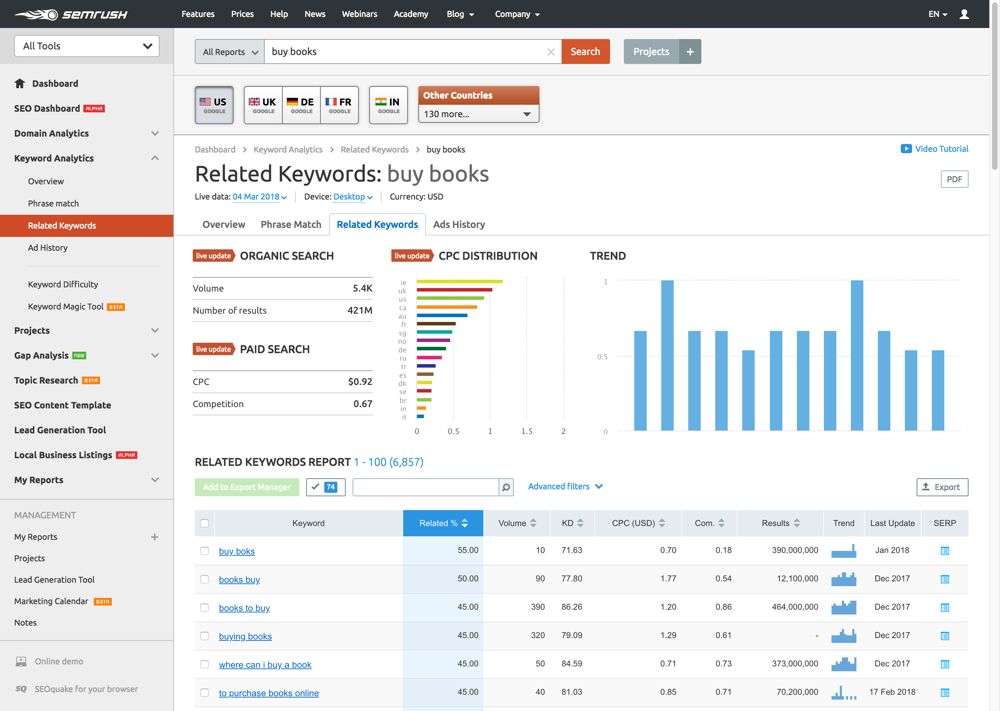
    This is the primary function of tools like Ahrefs, Semrush, Ubersuggest, and KWFinder.

    1. Take one of your seed keywords (e.g., “keyword research”).
    2. Enter it into the tool’s “Keyword Explorer” or “Keyword Magic Tool.”
    3. The tool will generate a list of thousands of related terms, often grouped by sub-topic.

    For example, “keyword research” will spawn:

    • Questions: “what is keyword research,” “how to do keyword research”
    • Long-tails: “keyword research for a new website,” “keyword research for e-commerce”
    • Commercial: “keyword research tools,” “best free keyword research tools”

    Export all of these lists into one master spreadsheet.

    Advanced Technique: Analyzing Your Competitors’ Top Pages

    Why reinvent the wheel when your competitors have already spent years figuring out what works?

    Most SEO tools have a “Top Pages” or “Organic Research” report.

    1. Enter a competitor’s domain (e.g., backlinko.com).
    2. The tool will show you a list of their pages that get the most organic traffic.
    3. Look at the “Top Keyword” for each page.

    This isn’t just a list of keywords; it’s a list of proven, traffic-driving topics. If your competitor gets 20,000 monthly visits to their “Guide to On-Page SEO,” you know that’s a high-demand topic you should also cover.

    Advanced Technique: Performing a Content Gap Analysis

    This is one of the most powerful and actionable techniques in SEO.

    A Content Gap (or Keyword Gap) analysis finds the keywords that your competitors are ranking for, but you are not.

    Most tools (Ahrefs, Semrush) have a “Keyword Gap” feature:

    1. You: yourdomain.com
    2. Competitors: competitor1.com, competitor2.com, competitor3.com
    3. Run the report.

    The tool will generate a list of keywords where your competitors rank in the top 10, but your site is nowhere to be found (e.g., position 50+ or unranked). This is a pre-qualified to-do list of high-priority topics to build out your topic clusters.

    Advanced Technique: Mining Communities like Reddit and Quora

    Keyword tools are backward-looking; they only show data for terms that already have volume. Communities like Reddit and Quora show you what people are asking right now.

    1. Go to a relevant subreddit (e.g., r/SEO, r/marketing, r/smallbusiness).
    2. Search for your seed keywords and look at the titles of the most popular posts.
    3. Pay close attention to the raw, unfiltered language.

    A post titled, “I’m a total beginner and just launched my site. What are the first 5 things I should actually do for SEO?” is a perfect topic. Your article title might become “The First 5 SEO Steps for a New Website.” It’s a topic born directly from user pain, not a spreadsheet.

    Advanced Technique: Uncovering “Quick Wins” in Google Search Console

    Google Search Console (GSC) is the only tool that shows you what you’re actually ranking for. It contains a goldmine of “quick win” opportunities.

    1. Go to your “Performance” report in GSC.
    2. Filter your queries by Position > 10. This shows you keywords where you are ranking on Page 2 or 3.
    3. Sort by Impressions (highest to lowest).

    This gives you a list of “striking distance” keywords—terms that Google already sees you as relevant for, but you’re just not strong enough to hit Page 1.

    The action here isn’t (usually) to write a new post. It is to update, improve, and republish the existing page, adding more depth, new information, and internal links to push it from position 12 to position 3.

    Step 3: Analyzing and Prioritizing Your Keyword List

    At this point, you should have a massive spreadsheet with thousands of keywords. This is useless until it’s prioritized. This is the “analysis” phase where we separate the gold from the gravel.

    Understanding Key Metrics: Search Volume, Keyword Difficulty, and CPC

    When you look at your list, you’ll see three core metrics.

    • Search Volume (SV): The estimated number of times a keyword is searched per month. This is a 12-month average and is best used for comparison, not as an absolute truth. Higher is generally better, but not always.
    • Keyword Difficulty (KD): A score (usually 0-100) created by your SEO tool (not Google) that estimates how hard it will be to rank in the top 10. It’s primarily based on the number and quality of backlinks pointing to the current top-ranking pages.
    • Cost Per Click (CPC): The estimated price advertisers are willing to pay for one click from this keyword. This is your best proxy for commercial intent. A keyword with a $15 CPC (e.g., “best business vpn”) is infinitely more valuable to a business than a keyword with a $0 CPC (e.g., “what is a vpn”), even if the volume is lower.

    How to Assess Search Intent at Scale (Revisiting the “3 Cs”)

    You cannot manually check the SERP for 5,000 keywords. You need a faster way to filter.

    1. Filter by Modifiers: Add a new column in your spreadsheet and categorize keywords based on their modifiers.
      • Informational: “what,” “how,” “why,” “guide,” “tips,” “tutorial”
      • Commercial: “best,” “vs,” “review,” “top,” “alternative,” “comparison”
      • Transactional: “buy,” “price,” “cost,” “discount,” “near me”
    2. Spot-Check the “3 Cs”: Once you’ve filtered your list, take your top 20-30 most promising keywords and then perform the manual SERP analysis we discussed in Part 1 (Content Type, Content Format, Content Angle). This manual check is non-negotiable for your most important terms.

    The Keyword Golden Ratio: Finding Untapped Long-Tails

    The Keyword Golden Ratio (KGR) is a data-driven formula for finding keywords that are truly uncompetitive. It’s perfect for new websites that need to build authority.

    The formula is: KGR = (Number of Google results with the keyword in the title) / (Monthly Search Volume)

    1. The “Number in Title”: In Google, search using the allintitle: operator. For example: allintitle:"how to do keyword research for a new blog"
    2. The Goal: You are looking for a KGR below 0.25.
    3. The Catch: This formula only works on long-tail keywords with a Search Volume below 250.

    If you find a keyword with allintitle results of 10 and a Search Volume of 50, your KGR is 0.2 (10/50). This is a “golden” keyword. It means there is user demand (50 searches) but almost no one has created a dedicated article specifically for that query. You can often rank on Page 1 in days or weeks.

    Prioritizing Keywords Based on Business Goals and Ranking Capability

    This is the final step. Create a simple priority score for your filtered list. Add three new columns to your spreadsheet:

    1. Business Relevance (Score 1-5): How closely does this keyword relate to a product or service I sell?
      • Score 5: A “money” keyword (e.g., “digital marketing course”)
      • Score 3: A “shoulder” topic (e.g., “best social media tools”)
      • Score 1: A “vanity” topic (e.g., “what are marketing memes”)
    2. Ranking Capability (Score 1-5): Can I realistically win?
      • Score 5: Low KD (<15), or a KGR < 0.25
      • Score 3: Medium KD (15-40), SERP has other blogs like mine
      • Score 1: High KD (40+), SERP is dominated by giants (Forbes, Wikipedia, HubSpot)
    3. Traffic Potential (Score 1-5): A simple score based on Search Volume.

    Multiply these three numbers (Relevance * Capability * Potential) to get a final Priority Score. Sort your entire list by this score.

    You now have a definitive, data-driven content plan, ordered from most valuable to least.

    Part 3: The Modern SEO Toolkit

    You cannot execute this workflow by hand. You need a stack of modern tools to do the heavy lifting. Here are the categories of tools you need to build a professional-grade SEO strategy.

    The “All-in-One” SEO Platforms

    These are the “Swiss Army Knives” of SEO. They do everything: keyword research, competitor analysis, rank tracking, backlink auditing, and site audits. You will spend 90% of your time in one of these.

    • Ahrefs: Widely regarded for its superior backlink index and clean “Keyword Explorer” UI.
    • Semrush: A favorite for its massive keyword database, “Keyword Magic Tool,” and powerful competitor analysis features.
    • Moz Pro: The original, known for its “Keyword Difficulty” score and a very user-friendly interface.

    Specialized & “Freemium” Keyword Tools

    These tools often do one thing extremely well or offer a generous free tier, making them perfect for beginners or those on a budget.

    • Ubersuggest (Neil Patel): A fantastic all-in-one tool that offers a lot of data for free or at a much lower price point than the “big three.”
    • KWFinder (Mangools): Beloved for its simple, beautiful UI and one of the most accurate “Keyword Difficulty” scores for beginners.
    • AnswerThePublic : These tools visualize “People Also Ask” data, giving you a mind map of all the questions users have about your topic. Perfect for building topic clusters.

    The Non-Negotiable (And Free) Tools

    These are not optional. You must have them set up.

    • Google Search Console (GSC): This is your data, direct from Google. It shows you what you rank for, your click-through rates (CTR), and any technical errors on your site.
    • Google Analytics (GA4): This shows you what users do after they land on your site. Which articles lead to conversions? What is your user engagement?
    • Google Trends: Excellent for spotting new, rising topics and understanding seasonal search trends for your keywords.

    Your Starter Stack: Begin with the free tools: Google Search Console, Google Analytics, and the free version of Ubersuggest. This is more than enough to find your first “quick wins” and build your initial topic clusters. As your site and revenue grow, you can invest in an all-in-one platform like Ahrefs or Semrush.

    🛠️ The Best Keyword Research Tools for 2026

    A good strategy is powerless without good tools. While you can start with free options, investing in a high-quality toolkit is the single fastest way to accelerate your keyword research and analysis.

    Here is a breakdown of the best tools on the market today, from the all-in-one powerhouses to the indispensable free utilities.

    Comparison of Top Keyword Research Tools for 2026

    ToolBest For…Price PointKey Feature
    SemrushAll-in-One SEO (Data Accuracy)$$$$ (Premium)Keyword Magic Tool: A massive database with powerful filtering for intent, questions, and clusters.
    AhrefsAll-in-One SEO (Backlink Analysis)$$$$ (Premium)Keywords Explorer: Unmatched at showing “what” a keyword ranks for and its true traffic potential (not just volume).
    UbersuggestBeginners & Solopreneurs$$ (Affordable)User-Friendly UI: Simplifies complex data (like KD) and offers a very generous free tier & lifetime deal.
    KWFinderFinding Low-Competition Keywords$$ (Affordable)“KD” Score: Widely considered the most accurate and beginner-friendly “Keyword Difficulty” score.
    SpyFuCompetitor Analysis$$$ (Mid-Range)“Kombat” Feature: Easily see exactly which keywords your competitors rank for that you don’t.
    AnswerThePublicTopic & Question Ideas$ (Freemium)Visual Mind Maps: Transforms a seed keyword into a visual map of questions (who, what, why, etc.).
    Google Keyword PlannerPPC & Broad Volume DataFreeDirect Google Data: The original source for search volume and CPC data, though it’s geared for ads.
    Google Search ConsoleFinding “Quick Wins”FreePerformance Report: The only tool that shows you what you actually rank for and your CTR.

    In-Depth Tool Reviews

    1. The All-in-One Powerhouses (The “Big Two”)

    These platforms are the industry standard for a reason. They are complete SEO suites that go far beyond keywords, but their keyword tools are best-in-class.

    • Semrush Semrush is arguably the king of keyword data. Its Keyword Magic Tool is a massive database that lets you start with a seed term and discover millions of related keywords, which you can then filter by intent (informational, commercial), question type, SERP features, and more. It’s also exceptional at competitor analysis, making it easy to see every keyword a competing domain ranks for.
      • Best for: Professionals who prioritize a massive, accurate keyword database and best-in-class competitor analysis.
    • Ahrefs Ahrefs’ primary strength has always been its backlink index, but its Keywords Explorer is just as powerful. Its standout feature is its ability to analyze the entire SERP. It doesn’t just show you the volume for one keyword; it shows you the total traffic the #1 page gets from all the keywords it ranks for. This gives you a much truer picture of a topic’s total traffic potential.
      • Best for: Professionals who want to understand topic-level traffic potential and have the industry’s best backlink analysis tool in the same package.

    2. The High-Value Challengers

    These tools offer 90% of the functionality of the “big two” at a fraction of the price, making them ideal for small businesses, freelancers, and bloggers.

    • Ubersuggest (from Neil Patel) Ubersuggest is built for clarity and affordability. It takes the complex data from other tools and presents it in simple, easy-to-understand charts. It has a robust keyword tool, excellent competitor analysis, and a very generous free tier. Its lifetime plan is one of the best values in SEO.
      • Best for: Beginners, solopreneurs, and small businesses who want a powerful, easy-to-use tool without a high monthly subscription.
    • KWFinder (from Mangools) KWFinder does one thing perfectly: it finds low-competition keywords. Its “Keyword Difficulty” (KD) score is legendarily accurate and much more realistic for new sites than the scores from Ahrefs or Semrush. The interface is clean, fast, and shows you everything you need (volume, trend, KD, and the SERP) in one dashboard.
      • Best for: New websites and bloggers who need to find “quick win” long-tail keywords they can actually rank for.

    3. The Specialized & “Must-Have” Free Tools

    No toolkit is complete without these. They are free and provide data you can’t get anywhere else.

    • Google Search Console (GSC) This is non-negotiable. GSC is the only tool that shows you data from Google about your own site. Its “Performance” report shows you every keyword you are getting impressions and clicks for. This is where you find your “striking distance” keywords (ranking on page 2) and uncover opportunities to optimize existing content.
    • Google Keyword Planner This is the original keyword tool, located inside Google Ads. While its volume data is often “bucketed” into wide ranges (e.g., 1K-10K), it’s still a fantastic tool for discovering new keyword ideas and getting an accurate sense of commercial intent via the “Top of page bid” (CPC) data.
    • AnswerThePublic This is an “idea generator,” not a metrics tool. You enter a seed keyword (like “coffee”), and it generates beautiful visual mind maps of every question users are asking about it, organized by prepositions (who, what, where, when, why, how, is, vs, etc.). It is a goldmine for finding informational keywords and building out your topic clusters.

    Part 4: Putting Your Keywords to Work

    Finding the perfect keywords is half the battle. The other half is using them effectively.

    This final part of the workflow bridges the gap from your spreadsheet to your live, published content. It’s where you turn data-driven research into tangible traffic and authority.

    How to Use Keywords in Your Content (Without Stuffing)

    Let’s start by dispelling a myth. Modern SEO has nothing to do with “keyword density” or repeating your keyword five times. That is keyword stuffing, an outdated practice that will get your site penalized.

    Thanks to algorithms like Google Hummingbird and BERT, search engines don’t just read words; they understand context and synonyms.

    Your goal is not to force a keyword into a sentence. Your goal is to write naturally for a human while placing your keywords in a few key, strategic locations to signal relevance. If your content sounds robotic, you’re doing it wrong.

    The golden rule is: Write for the human first, optimize for Google second.

    On-Page SEO: Title Tags, Meta Descriptions, and Headings

    “On-Page SEO” refers to optimizing the elements on your page. When it comes to keywords, there are a few high-impact locations that matter most.

    • Title Tag (<title>): This is the most important place to use your primary keyword. It’s the blue link that appears in the Google search results.
      • Rule: Place your primary keyword as close to the beginning of the title tag as possible.
      • Example: For the keyword “how to do keyword research,” a great title is: “How to Do Keyword Research: The Definitive Guide (2026)”.
    • H1 Heading (<h1>): This is the main headline on your page. There should only be one H1 tag.
      • Rule: Your H1 should be nearly identical to your Title Tag and must also contain your primary keyword. This creates a strong, consistent signal.
      • Example:How to Do Keyword Research: A Step-by-Step Guide for 2026″
    • Meta Description: This is the small text snippet under your title in the SERPs.
      • Rule: The meta description is not a direct ranking factor. It’s a “sales pitch” to earn the click.
      • Best Practice: Include your primary keyword (or a close variation). Google will bold the user’s search term if it appears in your description, which dramatically increases click-through rate (CTR).
    • Subheadings (H2, H3):
      • Rule: Use your secondary keywords and long-tail variations in your H2 and H3 tags. This is the perfect way to build topical relevance and structure your article logically.
      • Example: If your H1 is “The Ultimate Guide to Keyword Research,” your H2s should be:
        • <h2>What is Keyword Research?</h2>
        • <h2>Mastering Search Intent</h2>
        • <h2>The Best **Keyword Research Tools**</h2>
        • <h2>**How to Analyze** a Keyword List</h2>
    • First 100 Words:
      • Rule: Naturally include your primary keyword in the first paragraph (or first 100 words). This immediately confirms the topic for both the user and Google, which helps reduce bounce rate.

    Creating Content that Matches Search Intent

    This is the true antidote to keyword stuffing.

    Your keyword research already told you why a user is searching. Now, you must build your content to satisfy that exact “why.” When you focus on answering the user’s question comprehensively, you will naturally use all the relevant keywords, synonyms, and related phrases without even trying.

    • If the intent is Informational (e.g., “how to brew cold brew”):
      • Your Content: A step-by-step “how-to” guide. Your H2s should be “Step 1: Get Your Supplies,” “Step 2: Steep the Coffee,” etc. You’ll naturally use related terms like “coffee grounds,” “filter,” “steep time,” and “concentrate.”
    • If the intent is Commercial (e.g., “best email marketing software”):
      • Your Content: A “best of” listicle. Your H2s should be the product names (“1. Mailchimp,” “2. ConvertKit”). The content must compare features, pricing, pros, and cons. You’ll naturally use keywords like “comparison,” “pricing,” and “alternatives.”
    • If the intent is Transactional (e.g., “buy digital marketing course”):
      • Your Content: A product or service page. The content should be concise, persuasive, and focused on conversion. The keyword should be near “Buy Now” or “Enroll” buttons. Use keywords in feature bullet points and FAQs.

    By matching the type and format of your content to the user’s intent, you prove your relevance to Google far more effectively than repeating a keyword 10 times.

    Building Your Topic Cluster: The Internal Linking Strategy

    Keywords don’t just live on one page; they define how your pages connect to each other. As we covered in the “Topic Cluster Model,” internal linking is the glue that holds your authority together.

    This is your action plan:

    1. Link “Spokes” UP to the “Hub”:
      • Action: Every time you publish a specific “Spoke” article (e.g., “Best Keyword Research Tools”), you must find a place in that article to link back up to your main “Hub” page (e.g., “The Ultimate Guide to Keyword Research”).
      • Anchor Text: Use a natural, relevant phrase.
      • Example: “…these tools are a critical part of any successful keyword research strategy.” (This links to your hub).
    2. Link “Hub” DOWN to the “Spokes”:
      • Action: Your broad “Hub” page should act as a table of contents. As you introduce a sub-topic (like “tools” or “intent”), link out to your more detailed “Spoke” article on that topic.
      • Anchor Text: Use the specific keyword of the spoke article.
      • Example: “Choosing the right software is key. You can read our in-depth comparison of the best keyword research tools to learn more.” (This links to your spoke).

    This two-way linking strategy signals to Google that your pages are part of a deep, organized, and expert library of content. It shares authority between your pages and is one of the most powerful (and most overlooked) ranking factors you can control.

    🏁 Conclusion: Keyword Research is an Ongoing Process

    You now have the complete framework. You’ve learned to move beyond simple “volume” to decode the human intent behind a search. You know how to build topical authority with the Hub-and-Spoke model. You have a step-by-step workflow for finding, analyzing, and prioritizing keywords. And you know exactly how to use those keywords to create content that ranks.

    But the most important takeaway is this: Your work is never truly done.

    Keyword research is not a “set it and forget it” task you complete once when launching your site. It is a continuous, living part of any successful digital marketing strategy.

    The digital landscape is in constant motion:

    • New competitors will enter your market.
    • Search engine algorithms will be updated, changing the rules of the game.
    • Customer behavior will evolve, and the language they use to find you will change with it.

    The keyword that was your top performer last year might be overtaken by a new SERP feature. A topic you ignored might suddenly explode in popularity.

    True success in SEO comes from embracing this reality. It is an ongoing cycle of:

    1. Research: Using your tools to find new opportunities and content gaps.
    2. Implementation: Creating high-quality, intent-matched content.
    3. Analysis: Using Google Search Console to see what’s actually working, what’s not, and where your “quick wins” are.
    4. Refinement: Updating old content to improve its rank, pruning pages that don’t perform, and doubling down on the topic clusters that drive real business results.

    You are no longer guessing. You have a data-driven process for understanding what your audience wants and a strategic framework for giving it to them.

    Keep this guide, return to this process, and never stop listening to the language of your customers.

    On the concluding note, I hope you would have understood how to do Keyword Research in the easiest and most effective manner possible.

    However, practical implementation of all these steps on live projects is very important to master the skills. -Joining the Digital Marketing Course will help you learn and master How to do Keyword Research like a pro Digital Marketer.

    In addition, enrolling in an SEO Course is another but more affordable option to master keyword research and their right implementation in Search Engine Optimization Campaigns.

    What Keyword Research Tool do you use to find out the most relevant keywords for your site? Share your list in the comments below.


    FAQ Section

    How many keywords should I target per page?

    Focus on one primary “Main Entity” (target keyword) and 5-10 “Related Entities” (LSI keywords) to build topical depth without keyword stuffing.

    Are long-tail keywords better than short-tail?

    For new websites, yes. Long-tail keywords often represent specific “User Intent” and are much easier to rank for than broad terms.

    Is keyword volume still important?

    Volume is a secondary metric. Business Value and Search Intent are more important for driving actual revenue

    Can I do keyword research for free?

    Yes, using Google Autocomplete, “People Also Ask” boxes, and Google Trends provides excellent real-time data.

    What is a Keyword Difficulty (KD) score?

    KD is a metric (0-100) that estimates how hard it is to rank on the first page of Google for a specific term based on backlink profiles of top results.

    Table of Contents

    Avatar of satyendra tewari
    Satyendra Tewari
    A Certified Corporate trainer involved in Leadership and Life Skills coaching with a holistic 3Q approach. As an E-business Influencer and Digital Media Trailblazer, my forte includes Business leadership, Branding, Social Media and Digital Marketing, Online Advertising, Global Marketing Strategy and Refining of Marketing Processes.

    1 thought on “How to Do Keyword Research for SEO in 2026: The Ultimate Step-by-Step Guide”

    Leave a Comment

    Your email address will not be published. Required fields are marked *

    Table of Contents

    In-Demand Course

    4 months Instructor Led Live Online Training
    Starts February 14 (Sat) 11 AM - 12 PM (IST)
    • Covers all Digital Marketing Techniques
    Digital Marketing Webinars
    Feb 14
    Upcoming
    Raj Sharma, Digital Vidya Team 11:00 AM - 12:00 PM (IST)
    Apr 28
    Completed
    Marketing Leaders from Paytm Insider, Cognizant and Digital Vidya 03:00 PM - 04:00 PM (IST)
    Mar 24
    Completed
    Marketing Leaders from Merkle Sokrati, 3M, Uber India and VIP Industries Limited 03:00 PM - 04:00 PM (IST)

    Discuss With A Career Advisor

    Not Sure, What to learn and how it will help you?

    Call Us Live Chat Free MasterClass
    Scroll to Top